How it works
Scouting lets you document the evaluation of a Player in a structured, shared way. Every Report is attached to a Player page and follows a Template defined by your Club.
The full sequence:
- A Template defines the sections and criteria to evaluate.
- A Report is written for a Player from a Template.
- You and the members of the staff read it, comment on it and can be mentioned in it.
Who has access?
Access depends on your role in the section concerned:
- Viewers — read the published Reports of their section.
- Creators — create, edit and publish Reports, and manage Templates.
A published Report is visible to every member with access to the section (Pro or Youth).
Creating a Template
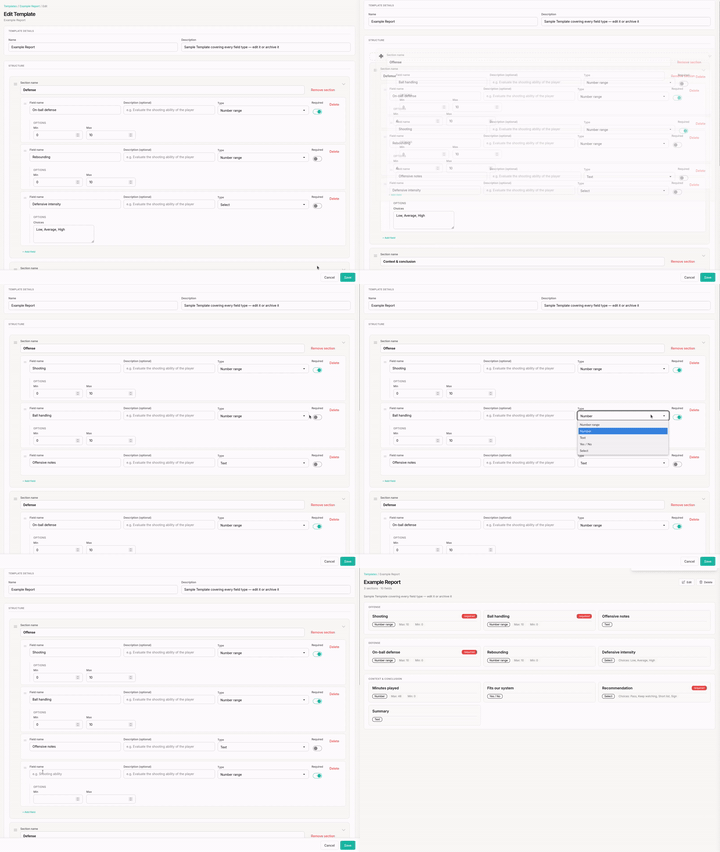
Your Club starts with an example Template, Example Report, which shows all the available field types. Edit it, rename it or archive it like any other Template.
- Open Scouting Rep. in the navigation bar.
- Click New Template.
- Give it a clear name (e.g. "Point guard evaluation").
A Template is made of sections, each containing fields to evaluate:
- Add a section (e.g. "Technical", "Physical", "Mental").
- In each section, add the fields to fill in when writing the Report.
- Choose the type of each field: Rating, Number, Text, Yes / No or Select.
- Reorder sections and fields by drag and drop to set the order of the form.
Tip
You can create different Templates depending on how you evaluate, for example:
Example Template "Full point guard evaluation":
- Offense — Passing (Rating 1-10), Outside shooting (Rating 1-10), Reading the game (Rating 1-10),...
- Defense — On-ball defense (Rating 1-10), Off-ball defense (Rating 1-10),...
- Physical — Height (Number), Speed (Rating 1-10),...
- Other — Leadership (Select: Low / Medium / High),...
Example Template "Full big man evaluation":
- Offense — Post play (Rating 1-10), Finishing (Rating 1-10),...
- Defense — Rim protection (Rating 1-10), Off-ball defense (Rating 1-10),...
- Physical — Wingspan (Number), Vertical (Number),...
Example Template "Quick game evaluation":
- General — Playing time (Number), Overall rating (Rating 1-10)
- Observations — Strengths (Text), Weaknesses (Text)
Archiving a Template
Archiving a Template removes it from the list offered for new Reports, without deleting it. You can restore it later.
Note
Reports already written with a Template are not affected by its archiving: they keep their content and stay readable.
The number of active Templates depends on your Club's plan (from 2 on Free to 30 on Club). Once the limit is reached, creation is blocked: archive an unused Template or move up to a higher plan — see Plans & limits.
Writing a Report
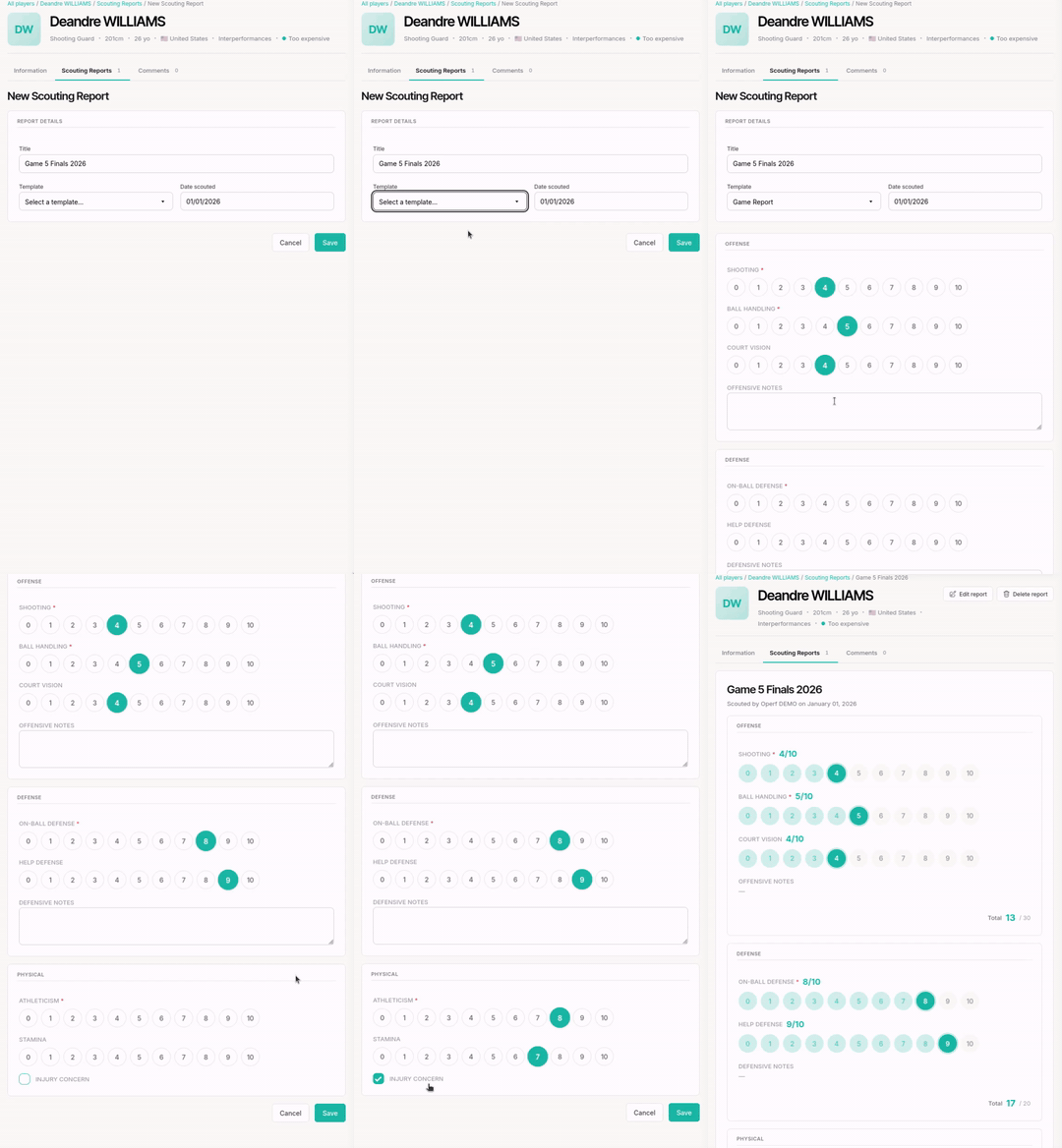
- Open a Player page.
- Click the Scouting Reports tab.
- Click New Scouting Report.
Select a Template in the dropdown at the top of the form: it pre-fills the sections and criteria to evaluate.