
Where can you comment?
Comments let your team discuss in the right place, without leaving the application. You can comment on:
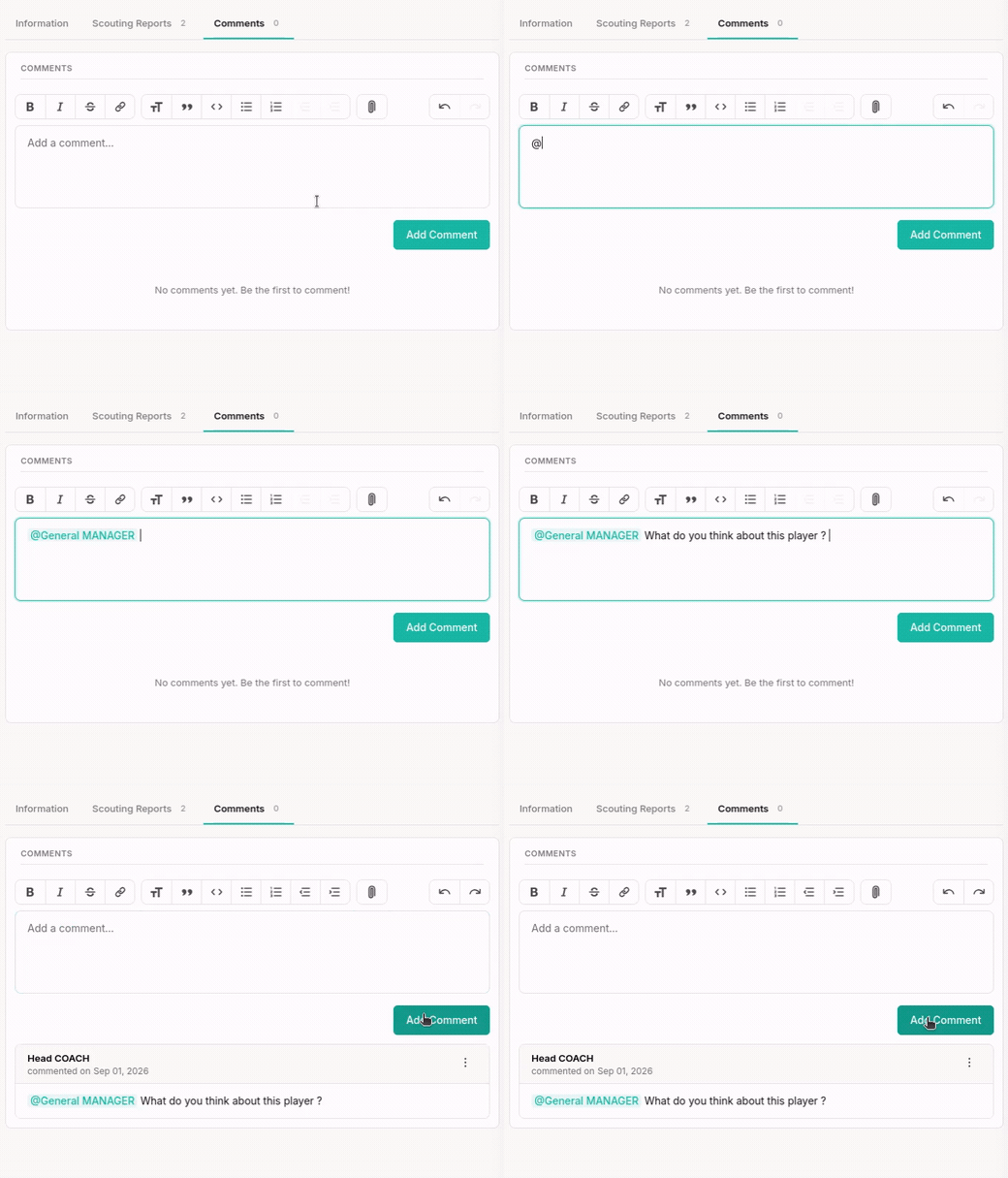
- a Player page, through the Comments tab;
- a Scouting Report, from the Report page.
Every member with access to the section concerned sees the Comments and can reply to them.
Mentioning a teammate with @
Type @ then the first letters of a member's name. A list of suggestions appears: pick the person.
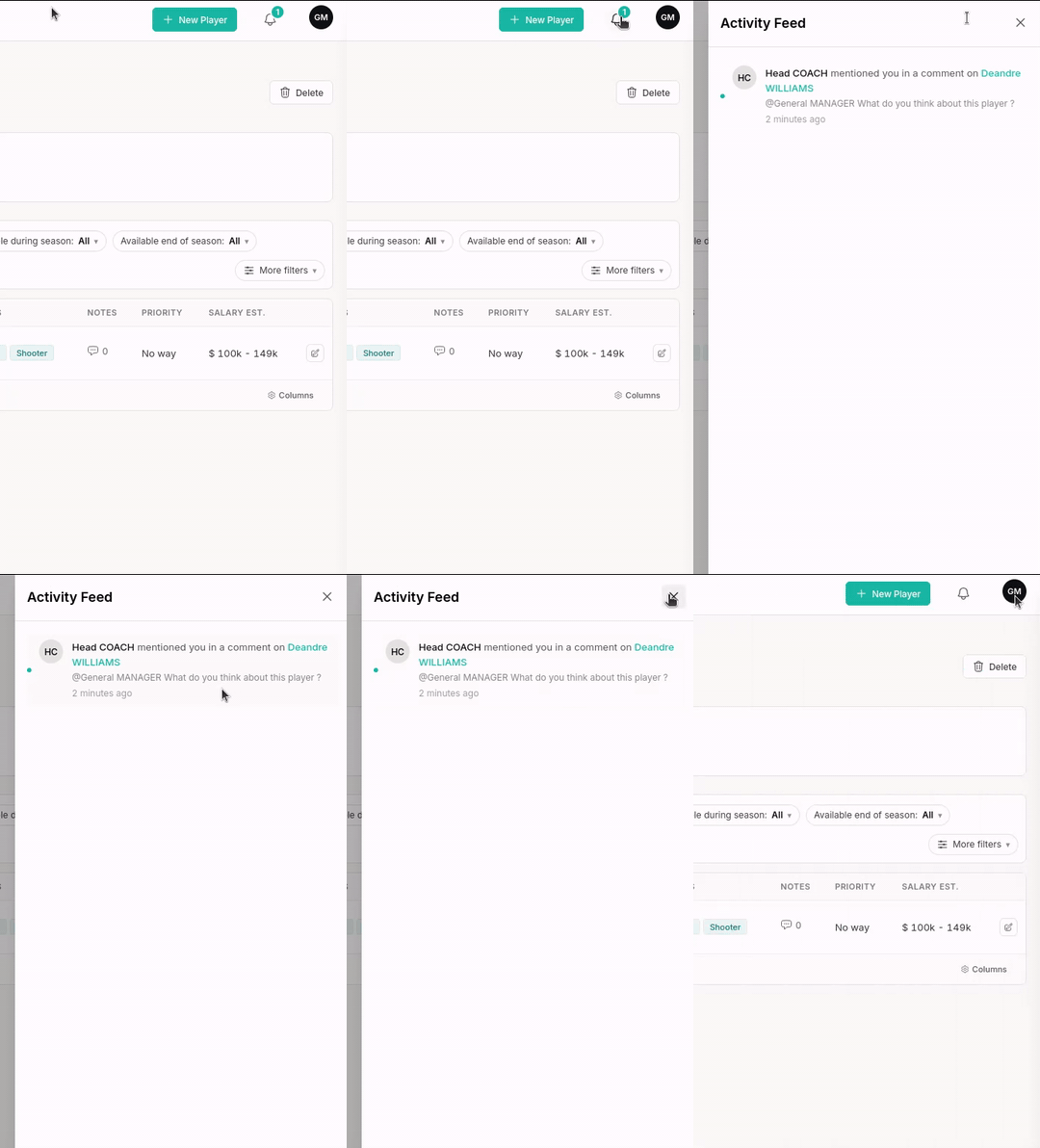
When the Comment is sent, the mentioned person receives a notification, even if they were not following the page. It is the most direct way to draw a teammate's attention to a Player or a Report. You can only mention members of your Club who have access to the section.
Mention notifications always reach you — they cannot be turned off.
Editing or deleting a Comment
You can edit or delete your own Comments only, from the Comment's actions.
Other members' Comments cannot be edited. If an inappropriate Comment was posted by someone else, tell an admin or contact support.
The activity feed
The activity feed gathers your Club's notifications. You reach it through the notifications icon in the application header. Every item links to the page or Report concerned; unread notifications are highlighted.
Which events trigger a notification?
Not every notification goes to everyone. Two events tell the whole Club; the others only tell the person directly concerned — the one who created the Player, wrote the Report or owns the List.
| Event | Who is notified |
|---|---|
| A Player is created | Every member of the Club |
| A Scouting Report is created | Every member of the Club |
| A Comment is added on a Player page | The member who created that Player |
| A Player's Note is created or edited | The member who created that Player |
| A Comment is added on a Report | The member who wrote that Report |
| A Player is added to a List | The member who owns that List |
| You are mentioned with @ | The mentioned person |
You can choose the notifications you receive in your Preferences. Mentions are the exception: they are always on.
Note
Mentions, notifications and the activity feed are part of the team features, included in the Pro and Club plans. On a Free or Solo plan, the @ field offers no suggestion and the notifications icon does not appear. Comments themselves stay available on every plan — see Plans & limits.