
Two separate sections
Operf is organized into two independent sections:
- Pro — the professional teams.
- Youth — the academy and youth sections.
Each section has its own Players, Scouting Reports, Templates and Settings (Positions, Levels, Profiles, Priorities, Statuses, Contracts, Past roles — managed by Admins). Data from one section never mixes with the other.
The only exception: Rosters and Lists can contain both Pro and Youth Players.
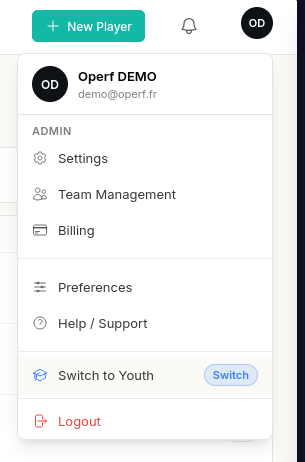
You switch from one section to the other from the user menu (your avatar, top right): Switch to Pro or Switch to Youth. The badge next to your Club name shows the active section. You only see the sections your role gives you access to.
Note
The Youth section is included in the Club plan only. If your Club is on another plan, the section is not reachable, whatever the roles — see Plans & limits.
The roles
Each member is given one or more roles, assigned by an admin from Team Management.
| Role | Section | What it allows |
|---|---|---|
| Pro creator | Pro | Create and edit Pro Players and Reports |
| Pro viewer | Pro | View Pro data, read-only |
| Youth creator | Youth | Create and edit Youth Players and Reports |
| Youth viewer | Youth | View Youth data, read-only |
| Admin | — | Manage members, Settings, billing and the Club |
Note
To invite a member, change their roles or remove them from the Club, see Team management.
Viewer or creator?
- A viewer can see everything in their section, but can neither create nor edit. Action buttons are not offered to them.
- A creator can create, edit and delete the Players, Reports and Templates of their section.
A single User can hold several roles: for example Pro creator and Youth viewer.
Warning
If an action is refused with the message "You are not authorized to perform this action", you are missing the matching role. Ask an admin of your Club for it — see Access problems.